Restore and colorize an old photo with AI
Restoring an old photo with AI involves using an artificial intelligence algorithm to automatically fix image degradation: scratches, stains, creases, missing areas and loss of sharpness. The AI analyzes the photo, reconstructs face and background details in high definition, then can automatically colorize black & white photos with natural tones. Results are delivered in under 5 minutes, with no software to install.
Updated on
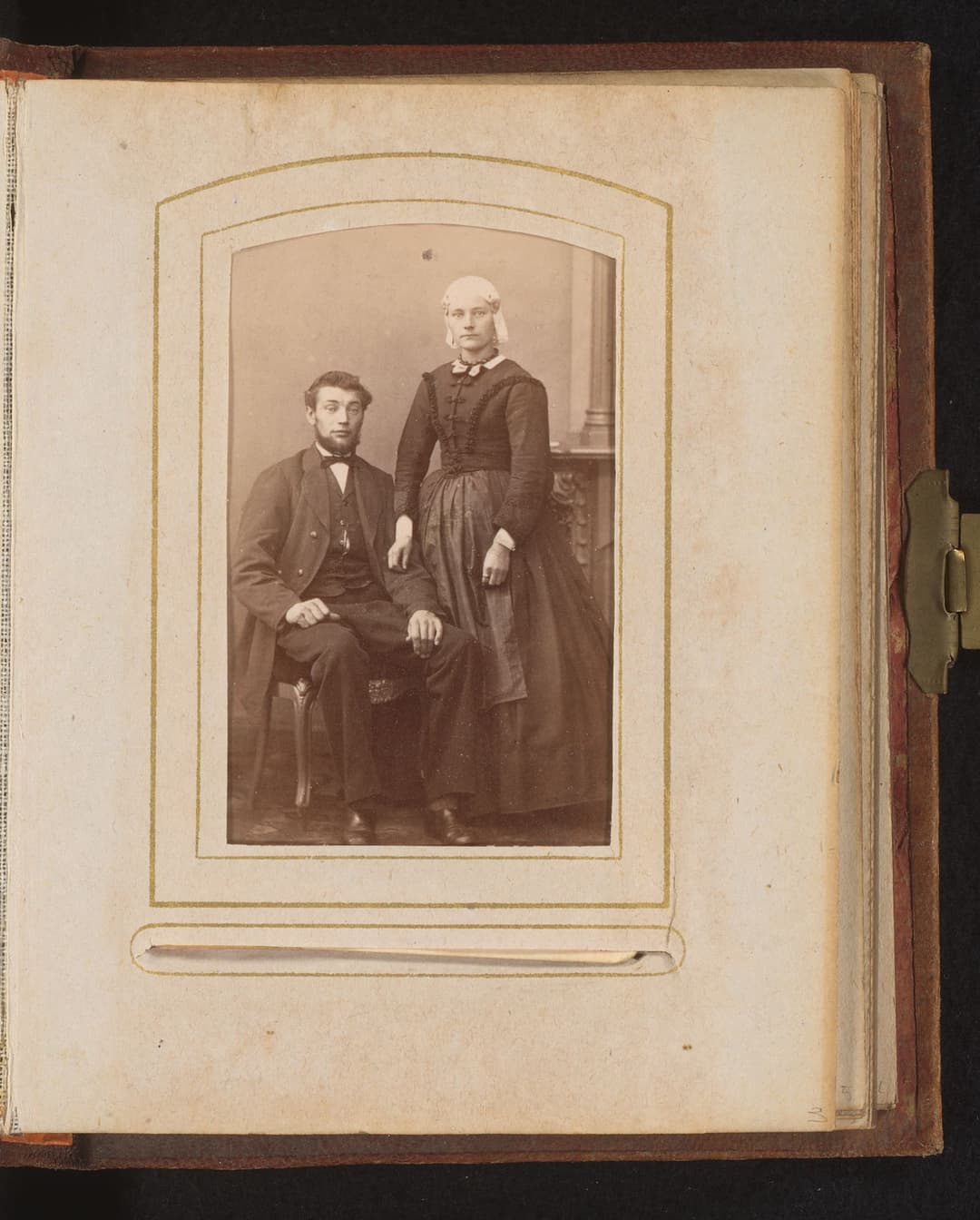
Before
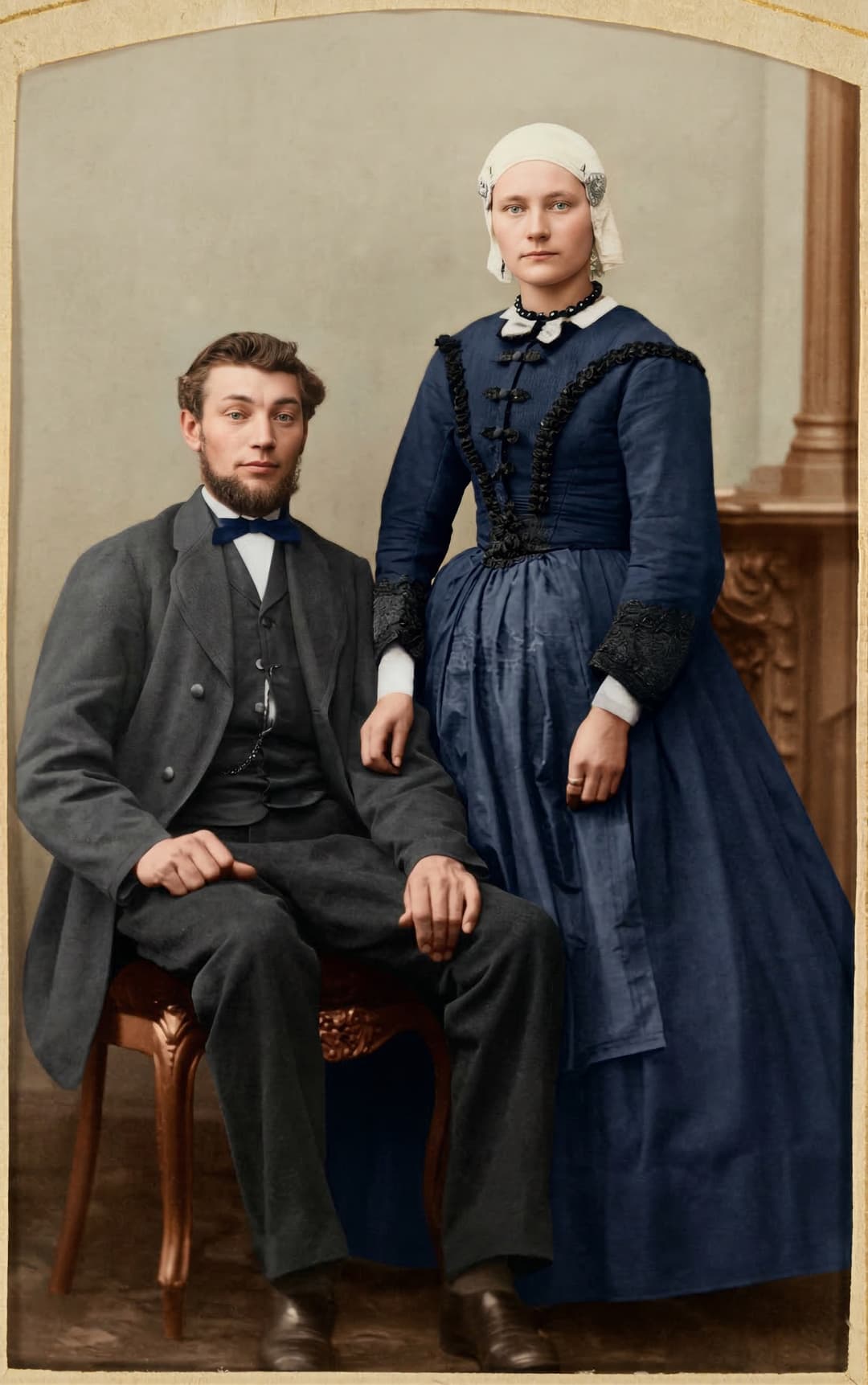
After
What damage can AI restoration fix?
AI restoration works best on portraits and family photos where the face is still visible.
Scratches and small marks
Fine marks, dust and light scratches can be softened so the photo becomes easier to read.
Stains and yellowing
Yellowed or stained photos can gain contrast and clarity, with a cleaner-looking result.
Light blur
When the face is recognizable, AI can improve perceived sharpness and reinforce important details.
Low contrast
Flat, underexposed or faded images can recover more depth and visual relief.
Black and white or sepia photos
You can prepare an old black and white photo with restoration, colorization and animation in the same flow.
Our AI restoration pipeline
Three automatic steps to bring your most damaged photos back to life.
Smart preprocessing
Our AI automatically detects and crops the photo, even if taken from an album or surrounded by a frame. Support imperfections are removed.
High-definition restoration
The image is restored in HD: scratches, stains, creases and damage are corrected. Face, clothing and background details are enhanced.
Automatic colorization
Black & white or sepia photos are colorized with natural, realistic tones, respecting the era and context of the original image.
AI vs professional restoration
Compare our AI restoration with a traditional professional restoration service.
| Criteria | AI Restoration | Pro Restoration |
|---|---|---|
| Price | Free trial, then from $6.00 | $50 to $200 |
| Turnaround | Under 5 minutes | 3 to 15 days |
| Colorization | Available in the flow | Extra charge |
| Video animation | Video animations available | Not offered |
| Accessibility | Online, 24/7 | Appointment required |
Frequently asked questions
Can AI restore a very damaged photo?
Yes. Our AI is trained to handle scratches, stains, creases and missing areas. The more visible the face, the better the result. For extremely degraded photos, results may vary.
Is the colorization true to the original colors?
Our AI analyzes the image context (era, clothing, environment) to produce realistic and consistent colors. While not an exact reproduction, it offers a natural and believable rendering.
Can I restore a photo without software?
Yes. Everything happens online: upload your photo, choose the relevant options, and Mnemovid prepares the result without installing software.
What image quality do I get after restoration?
With Heirloom quality (1 credit), you get HD restoration with enhanced details, natural colorization and a high-definition video without watermark.
Discover more
Animate an old photo with AI
Transform your family photos into living animations with our AI technology.
Mnemovid vs Deep Nostalgia™
Compare Mnemovid with Deep Nostalgia™ by MyHeritage and discover a pay-per-use alternative.
Colorize a black and white photo
Bring back the true colors of your black and white photos with AI colorization.
Restore your old photos now
Upload your damaged photo and create an AI animation from a restored image in minutes.